Evaluating Teacher SVG PNG Design for Educational Projects
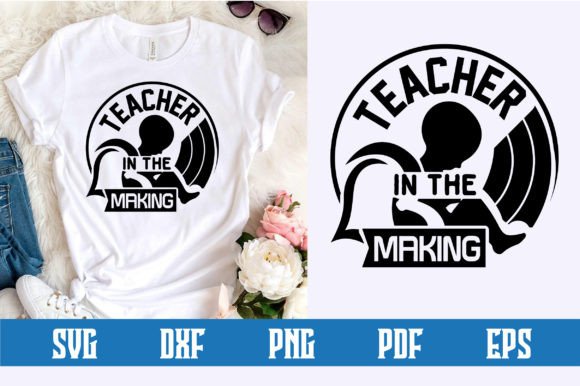
Teacher SVG PNG design refers to digital graphic assets specifically created for educational contexts, featuring scalable vector graphics (SVG) and portable network graphics (PNG) formats. These files typically depict classroom themes, academic symbols, school supplies, or appreciation motifs intended for use in crafting, printing, and digital media. For educators, administrators, parents, and crafters, selecting the right design assets involves understanding technical specifications, licensing terms, and practical application limits. This evaluation guide provides objective criteria to help users determine if specific teacher-themed digital designs align with their project requirements and quality standards.
Understanding the Technical Distinctions
A critical first step in evaluating Teacher SVG PNG design is distinguishing between the two primary file formats included in most digital bundles. While often sold together, they serve fundamentally different purposes. SVG files are vector-based, meaning they are constructed from mathematical paths rather than pixels. This allows them to be resized infinitely without losing clarity, making them essential for cutting machines like Cricut or Silhouette, as well as for professional printing on banners or apparel. The layers in an SVG can usually be manipulated individually, allowing users to change colors or remove elements within design software.
PNG files, conversely, are raster images composed of a fixed grid of pixels. In the context of teacher designs, these are typically provided with transparent backgrounds at high resolutions (usually 300 DPI). They are best suited for sublimation printing, digital invitations, web graphics, or iron-on transfers where layer manipulation is not required. When evaluating a design pack, verify that the PNG resolution is sufficient for your intended print size. A low-resolution PNG may appear crisp on a screen but will pixelate when printed on a standard letter-sized sheet or t-shirt. High-quality Teacher SVG PNG design packages should explicitly state the dimensions and DPI of the raster files.
Assessing Licensing and Usage Rights
Beyond technical specs, licensing is perhaps the most significant factor in the selection process. Digital designs are intellectual property, and purchasing a file rarely equates to owning the copyright. Users must carefully evaluate the license type before downloading. Personal licenses generally permit use for non-commercial projects, such as a single classroom decoration or a gift for a colleague. Commercial licenses allow for the creation of physical end products for sale, such as teacher appreciation mugs or stickers. However, even commercial licenses often have caps on the number of units sold or prohibit the resale of the digital file itself.
When comparing vendors, look for clear, unambiguous licensing language. Some designers offer tiered licensing, where a basic fee covers small-scale sales while an extended license is required for mass production. Be wary of "free" Teacher SVG PNG design downloads from unverified sources, as these frequently lack proper licensing or may be stolen assets. Using unlicensed designs for school fundraisers or PTA merchandise can expose organizations to legal risk. Always retain proof of purchase and license documentation for audit purposes.
Evaluating Design Quality and Compatibility
Not all vector files are created equal. Poorly constructed SVGs can cause significant frustration during the production phase. When previewing Teacher SVG PNG design options, examine the node count and path complexity. Excessively complex vectors with thousands of unnecessary nodes can cause cutting machines to lag, stutter, or fail entirely. Conversely, overly simplified vectors may lack necessary detail or result in jagged edges when cut. Ideally, designs should have clean, closed paths and organized layers labeled intuitively.
Compatibility with your specific software ecosystem is another practical consideration. While SVG is a universal standard, implementation varies across platforms like Adobe Illustrator, Inkscape, Canva, and proprietary cutter software. Before committing to a large bundle, test a sample file to ensure it imports correctly and retains its editability. For PNG files, check color profiles; RGB is standard for digital display, while CMYK is preferred for professional printing. Many teacher designs are created in RGB, which can result in color shifts when printed physically. Understanding this limitation helps manage expectations regarding color accuracy.
Situations Where Teacher SVG PNG Design Is Ideal
Digital teacher designs offer distinct advantages in specific scenarios. They are particularly valuable for time-sensitive projects where custom illustration is not feasible. For example, creating matching shirts for Teacher Appreciation Week or designing last-minute classroom welcome signs benefits greatly from pre-made, professionally designed assets. The scalability of SVGs makes them ideal for multi-format campaigns where the same graphic must appear on a small lapel pin and a large hallway banner without requiring multiple file versions.
These assets also serve as excellent foundations for customization. Rather than starting from scratch, educators with intermediate design skills can modify existing Teacher SVG PNG design elements to reflect specific grade levels, school colors, or inside jokes. This hybrid approach balances efficiency with personalization. Additionally, for schools with limited budgets, purchasing a commercial license for a versatile design bundle is often more cost-effective than hiring a freelance illustrator for each individual event throughout the academic year.
Tradeoffs and Limitations to Consider
Despite their utility, reliance on pre-made designs carries inherent tradeoffs. The most notable is the lack of exclusivity; popular Teacher SVG PNG design files may be used by hundreds or thousands of other buyers, potentially leading to generic-looking merchandise or decor. If brand differentiation or unique visual identity is a priority, stock assets may fall short. Furthermore, pre-made designs cannot always be perfectly adapted to niche requirements. Modifying complex vectors requires technical skill, and some designs are flattened or grouped in ways that make editing difficult or impossible.
There is also a learning curve associated with using these files effectively. Users unfamiliar with vector editing or cutting machine settings may struggle with weeding intricate designs or managing layer hierarchies. In such cases, the perceived time savings of buying pre-made art may be negated by troubleshooting hours. It is important to honestly assess your technical proficiency before investing in complex design bundles.
When to Consider Alternatives
While Teacher SVG PNG design assets are versatile, they are not universally the best solution. If a project requires highly specific likenesses, proprietary school mascots, or text-heavy layouts with precise typographic kerning, commissioning a custom designer is often superior. Custom work ensures originality and exact adherence to brand guidelines, eliminating the risk of accidental trademark infringement that can occur with generic stock art. Additionally, for one-off digital uses where print quality is irrelevant, free resources like public domain clipart or built-in design tool libraries may suffice without any financial outlay.
For large-scale institutional branding, such as official district logos or permanent signage, relying on marketplace designs is inadvisable. These applications demand exclusive rights, trademark registration, and professional-grade vector construction that typical stock assets do not provide. In these high-stakes contexts, the investment in bespoke design services yields better long-term value and legal security.
Making an Informed Selection
Ultimately, choosing the right Teacher SVG PNG design requires balancing technical needs, legal compliance, and creative goals. Start by defining the project scope: Will it be printed or digital? What is the maximum size? Is it for personal or commercial use? Use these parameters to filter options and scrutinize product descriptions. Prioritize vendors who provide detailed previews, clear licensing, and responsive customer support. Read user reviews specifically mentioning file quality and compatibility with your equipment. By approaching selection with a critical, evaluative mindset rather than impulse, users can secure assets that genuinely enhance their educational projects while avoiding common pitfalls related to quality, legality, and usability.